New Xbox Home Update Now Available For Xbox Insiders
Benjamin B0
Xbox has released a new Home update for Xbox Insiders to test out ahead of its full release.
The new Xbox Home page includes new customization features, local save game management, profile badges and more.
Here is a complete overview of what is new as provided by Xbox over at Xbox Wire.
More Ways to Enjoy Home
We’ve heard from players who want more control over what shows up in
the Recent Games and Apps list at the top of Home. You can now remove
any item in that list using the Menu button, including the Play History
tile, making it easier to keep Home focused on what matters most to you.
XBOX Insiders can also try a new immersive background mode that lets
your dynamic or custom background take center stage. Simply press the
right thumbstick button on your controller from anywhere on Home to fade
away the UI and enjoy your background without distractions. Press any
button to return to Home and pick up where you left off.
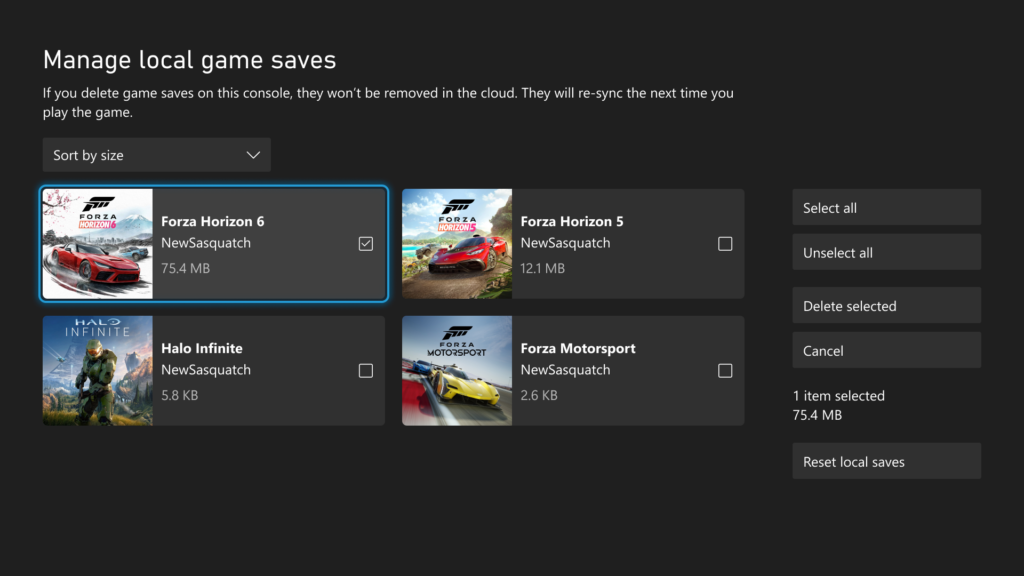
More Control Over Local Game Save Storage
Your game saves on XBOX are automatically backed up to the XBOX
network, but local storage can occasionally fill up, which may prevent
new game progress from being saved. Until now, it hasn’t always been
easy to see which local saves were using that space or how to free it
up.
Starting today, you can view, sort, and delete local game saves that
aren’t currently in use, helping you make space for the games you’re
currently playing. Whether you want to delete a single large save file
or clear all unused local saves at once, you now have more visibility
and control over your console’s storage.
To get started, go to Settings > System > Storage > Manage local game saves or access the feature directly if you receive a notification that there’s not enough space to create a new game save.
As always, your latest saves remain safely backed up to the XBOX
network and will automatically sync the next time you launch a game.
Dive Into Your Profile Badges
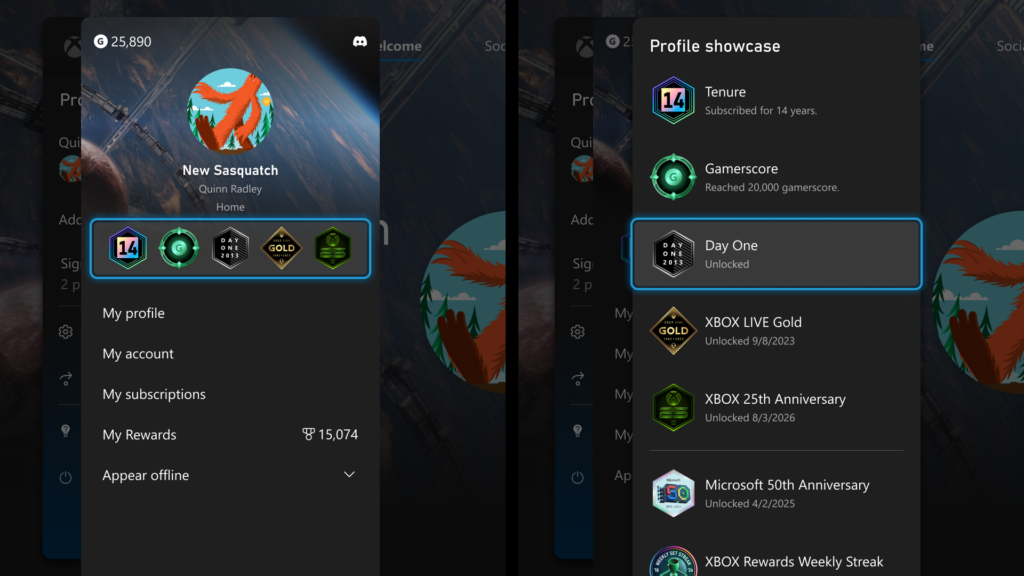
Profile badges help tell the story of your XBOX journey. As more
badges have been added over the years, it hasn’t always been easy to
know what each one represents.
Now you can view detailed information for every badge displayed on a
profile, including high-resolution artwork and details about when and
how it was unlocked. Whether you’re revisiting your own collection or
exploring another player’s profile, it’s easier than ever to discover
the story behind each badge and celebrate the achievements, milestones,
and experiences they represent.
From longtime XBOX accomplishments to special community events,
badges now include the context you need to help bring those moments to
life and appreciate the players who earned them.
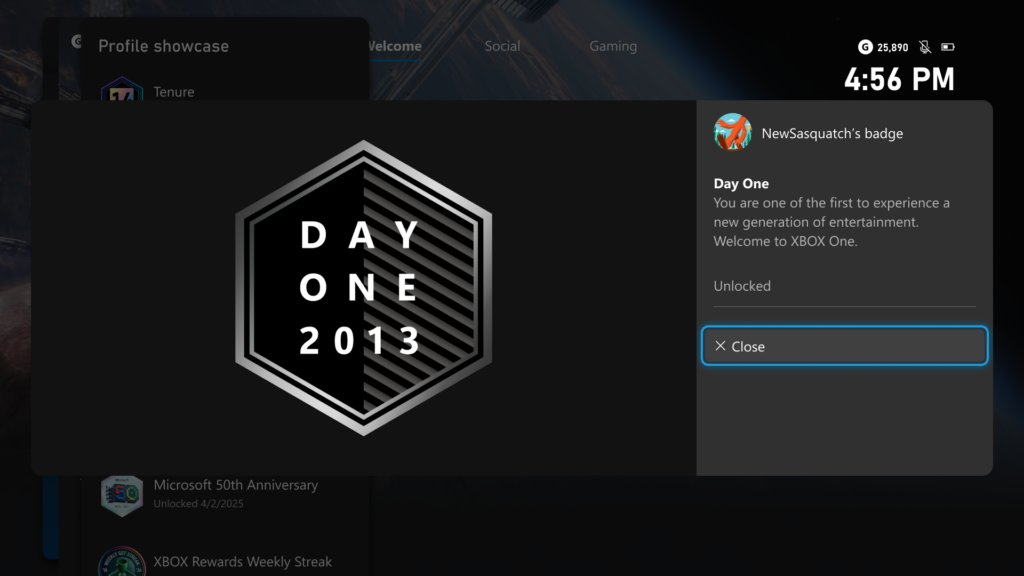
Where Were You On Day One?
To help celebrate 25 years of XBOX, we’re recognizing another
milestone in XBOX history. On November 22, 2013, the XBOX One was
released, ushering in a new generation of entertainment. Many of you
earned the elusive Day One achievement on that day, and we’ve loved
seeing the creative ways you’ve continued to keep it pinned to your
profiles over the years.
Starting today, players who unlocked the Day One achievement will
receive a new commemorative Day One profile badge, recognizing that they
were there when it all began.
More Wishlist Improvements
Keeping your wishlist organized just got easier. Starting today,
purchased games will automatically be removed from your wishlist,
helping you spend less time managing your library and more time playing.
How to Get XBOX Insider Support and Share Your Feedback
Thanks to XBOX Insiders for all of the feedback. You can also visit aka.ms/XBOXplayervoice to share what you think.
If you’re an XBOX Insider looking for support, please join our community on the XBOX Insider subreddit.
Official XBOX staff, moderators, and fellow XBOX Insiders are there to
help. We recommend adding to threads with the same topic before posting a
brand new one. This helps us support you the best we can!
If you aren’t part of the XBOX Insider Program yet and want to help
create the future of XBOX and get early access to new features, join
the Program today by downloading the XBOX Insider Hub for XBOX Series X|S & XBOX One or Windows PC. For more information on the XBOX Insider Program, follow us on Twitter at @XBOXInsider and keep an eye on this blog for all the latest news.


Post a Comment